
Hard Drives can Fail and It's Sickening
Hard Drives can Fail And Screw Things Up.
Unfortunately, hard drives can fail, and that failure can be quick in the coming or can happen over time - sometimes without realising it's actually starting to fail.
This is me admitting that I've been the recipient of hard drive failures in the past, including a very recent one.
I try to reduce/minimise the acceptable risk of photography as much as I can, but I can't remove ALL risk. Things break down, SH!T happens.
Let me tell you more.
Traditional Hardrives
A traditional spinning hard drive has fragile discs that spin very quickly and a read/write head moves across these discs to store and retrieve data. When they start to fail, you often get a clicking sound, which is your queue to remove the drive from your backup process and replace it. It won't get better, just worse.
Hard Drives Can Fail - Click for more information
Hard drives are incredibly resilient when put onto your desk or desktop computers.
As you can see, some hard drives have a failure rate of 3%, some much, much lower. It all depends on how much you use them.
I always have a couple of spare 6Tb or 8Tb hard drives, unopened and bought at different times (to avoid batch errors in manufacture), and usually from different companies, in case one of my spinning hard drives starts to fail - I can get it replaced ASAP.
My Office Based Process
My office-based backup process consists of two spinning hard drives that each have identical copies of all my weddings for the current years, usually about 2 years' worth of the original unedited files.
Older years are archived onto separate drives and stored securely. Note - these are the original unedited files only, not my finished wedding files.
One reason I want to edit and send the edited files to my wedding couples as quickly as possible is to avoid potential hard drive errors. Currently, I'm around a week between the wedding and delivery. My wedding galleries are stored in a cloud-based online system, with a quick backup copy stored locally in my office in case I need to access the files quickly for extra edits for the couple.
My Wedding Based Process
I used a laptop (MacAir M1) at your wedding to copy my unedited RAW files onto two Samsung T7 SSDs, Solid-State Drives.
I also use three cameras, each with two SD memory cards. I use all three cameras during each part of your wedding so that in case one camera fails totally, I have copies of the photos, albeit from a different lens/angle.
Note—It's more likely that an SD card will fail than a camera, but cameras do fail. In 2020 (yes—when we were allowed out and weddings were okay!), I had a camera fail on me. The weather sealing was compromised, and the internal electronics acted up, causing the card module to work intermittently and allowing water onto the camera sensor.
So at weddings, you will often see me backing up files onto my laptop and SSDs and then getting a quick same-day slideshow sorted out - this gives me reassurance that everything is working as well as my wedding couples and guests getting a very quick sneak peaky at what has happened during the day.
By the way, one of those SSDs will stay in my pocket all day—just in case anything happens to my laptop, laptop bag, or camera bag.
What about when I'm out in the Campervan during pre-wedding shoots?
I use another SSD—a SanDisk Extreme 1Tb when doing pre-wedding shoots in the campervan. This is a rugged hard drive designed for knocks, bashes, scrapes etc.
It's a lot more rugged than the Samsung SSDs and, until recently, had an outstanding reputation.
That aside, I back up those photos to the Sandisk SSD, and when I'm back at the office, I copy them to the hard drives.
And This Is Where I admit That I've Had SSD Failure - and that thought makes me physically sick.
Yup - unbeknownst to me my Sandisk SSD has been slowly failing. It's very hard to notice when things get a little slower to copy, SSDs are incredibly fast anyway. There are no moving parts, so it's silent. It took longer to connect...but I explained that way at the time with the SSD having a lot of info on , or the cable not being the 'right' USB cable (some cables are slower to connect / slower data speeds etc).
So when I copy from my laptop to the SSD, I just leave it and walk away. I'm often copying multiple shoots over at a time anyway. I then copy from the SSD onto my desktop hard drives in the office.
It's rare for SSDs to fail, but not unknown
https://www.makeuseof.com/tag/5-warning-signs-ssd-break-fail
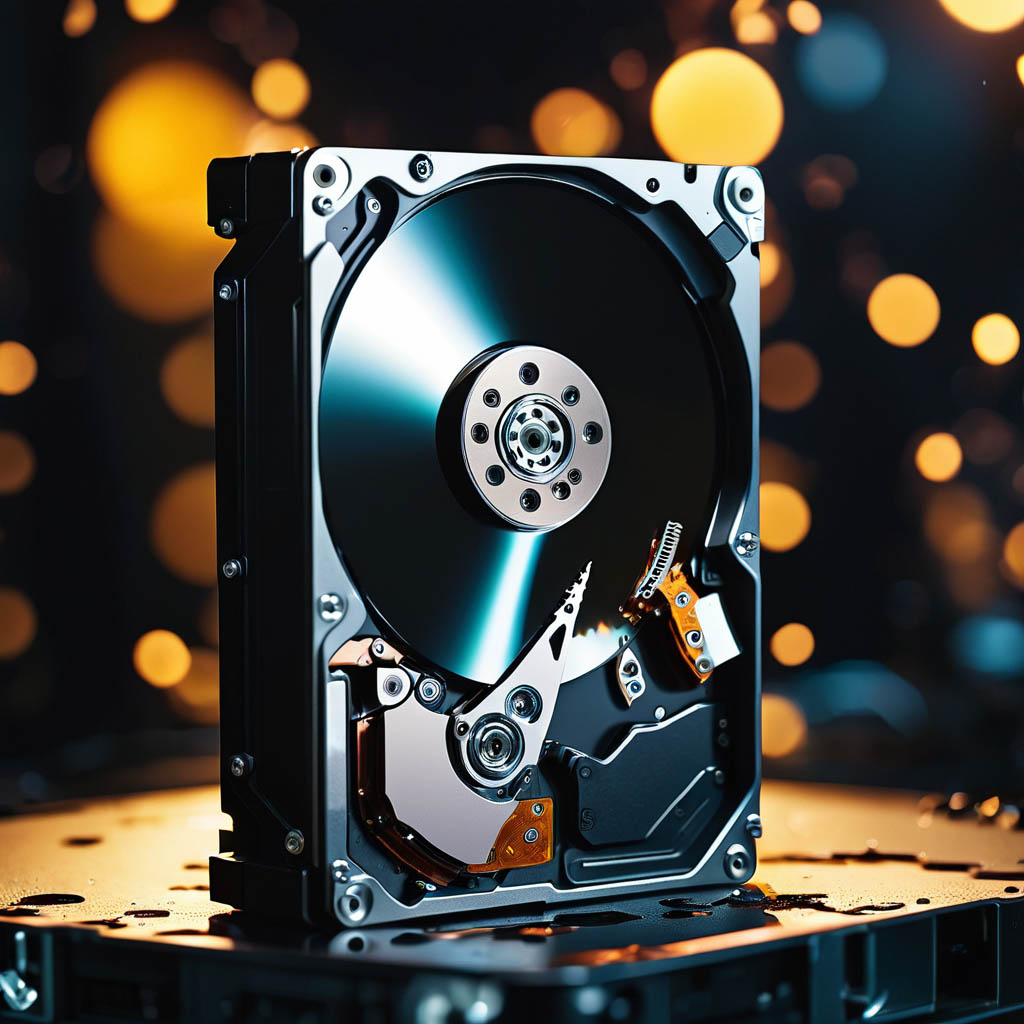
Hard Drives can Fail and It's Sickening
Guilty #1 - A Pre-Wedding Shoot Isn't As Important As A Wedding
A pre-wedding shoot is not as important to me as a wedding. It can normally be replicated later if something happens to the SD cards, the camera, the weather, etc. I've only photographed in torrential rain about three times in twenty years—for some reason, people don't want to get out and enjoy the rain!
So, a pre-wedding shoot would allow me to get to know each of my couples better. It's a chance to chat about the wedding plans, walk around the venue, sort out a wet weather plan, sort out a potential shot list and location list for the wedding. I take some photos and give the couple an experience of what it would be like on the wedding day, what I'm looking for etc. Some simple posing techniques etc. And the couple get a copy of the photos via the cloud-based gallery.
Hence I don't carry out multiple backups etc. After doing this, I also format my SD cards, which is standard practice for wedding photographers before each shoot. I also use a fresh set of SD cards every six months, so I buy a set (8 SD cards - four 32Gb and four 64Gb) each January and another in July.
Guilty #2 - My Process for pre-wedding shoots needs to be tightened up
This wouldn't have been an issue except that this was a legal wedding AND the pre-shoot. Registry office-based, quick 15 mins with the couple and two witnesses. The big celebrant led the wedding two days later, with about 70 guests, including one of the witnesses. The other witness couldn't make it. I can't remember if the legal wedding was to be kept a secret from the celebrant-led wedding; many weddings done like this are usually kept a secret until after the celebrant-led wedding. I know both sets of parents were not invited to the 15-minute legal wedding.
The weather was torrential rain (down to 40mph or less on the M4 motorway with the rain and the usual late afternoon traffic), and in the run-up to the pre-shoot, the bride and I had communicated over the rain, with her intimating that she would be okay if I didn't turn up to the legal ceremony. I wanted to make an effort, so I took the drive from Chepstow to the registry office, which took around 90 minutes with the traffic and the rain.
The service was short and quick, the usual 15 minutes and outside under the small covered area for a quick group shot, and that was it. I was invited to the meal they had planned, but I had another engagement (first aid course), so I had to decline. I took maybe 20 photos altogether in that 15 minutes and got soaked, as well as the camera getting soaked.
My process was (past tense - I've changed this now) to use the SanDisk Extreme SSD while out on shoots in the van. That SSD is a 'rugged' drive designed to be knocked, dropped, etc.
I copy the files from the SD card directly to a folder on the SSD, which is missing out on the laptop.
Then, I transferred it to my desktop hard drives via CarbonCopy (CC). To do this, I just plug the SSD into my iMac back at the office.
CC then copied that folder's contents to Hard Drive 1 and then from Hard Drive 1 to Hard Drive 2, without my further intervention.
I started this process and then drove off to my next appointment, knowing that when I got back into the office that night, I had to plug the SSD into my iMac, and CC would copy over that folder.
I can only imagine that's where the breakdown/fault in the SSD must have occurred. It's not a full-on failure of the SSD to connect. It's random. Sometimes, it won't, but most times, it does.
I assumed the files were copied, as usual. I got back into the office and let CC do its job, again assuming CC had worked.
As I assumed the files were on my office drives, I formatted the SD cards for another shoot the next day and, after that, for the couple's wedding. I only realised that I had not edited/uploaded the legal wedding photos when I was asked for them about 2 1/2 months later, after the celebrant-led wedding had taken place, along with around four other weddings, several other pre-shoots, and a change of SD cards.
Hard Drives Can Fail, Including SSDs

Hard Drives can Fail and It's Sickening
This is where SSD failure comes in. It failed—but it didn't fail totally. It fails randomly, meaning that when it is working, it seems to work fine. However, when it doesn't work, some files are transferred, some are not, and it looks like they all have been moved. It disconnects and reconnects randomly. There are long periods when it seems to work fine, then just loses connection.
This only came to light after the couple's wedding, when they asked to see the shoot about two and a half months later. So I searched...and searched...and searched. I honestly thought I had misfiled the shoot, so I continued searching. Like many other wedding photographers, we have terabytes of hard drive space, all that needed to be searched to make sure nothing had been misfiled.
That is when I realised that due to the SSD failing, it hadn't transferred that shoot-over. When it worked, I continued to use the SSD as normally and stored other stuff on it. But it keeps dropping in and out of connection; sometimes, that connection looks really stable, and in others, it won't connect.
The more times I try to connect, the more I'm afraid it will cause further issues with any potential data recovery issues, so I've left it alone. In fact, I sent it off to a Data Recovery Centre.
Data Recovery
The news isn't good. There is some physical damage to the drive; the soldering connecting the controller "bit" was / is loose, and that has caused some short-circuiting that damaged the memory chips. Not all bad; however, that lost soldering was the reason the drive connected and disconnected randomly and was getting worse over time. The drive could have been failing for a week or a month or longer until it started showing signs.
That, however, meant that when I transferred the SD card to the SSD, when the SSD was working...the SSD then lost the connection, and the images were not transferred over. I just didn't check, as my workflow has been flawless for years. Some of the data was recoverable, but all that I expected to be recovered. And sadly not the images I needed.
Is It SanDisk at Fault?
I can't be 100% sure, but from doing some investigation, I see that there have been issues with certain Sandisk SSDs from early 2010 onwards - from early 2022 and some more serious issues from 2023 onwards.
I do use my kit, and it's a tool of work, not a toy. So even though it was a rigged hard drive - it may be just that it wasn't rugged enough for my purposes.
https://www.digitaltrends.com/computing/sandisk-ssd-firmware-fix-fails-hardware-havoc-revealed/
https://www.theverge.com/2023/5/22/23733267/sandisk-extreme-pro-failure-ssd-firmware
https://www.tomshardware.com/news/sandisk-extreme-portable-ssd-suffer-sudden-failures-wd-responds
This has resulted in a US court case against Sandisk.
My drive isn't on the list for those ones; however, older Sandisk SSDs do fail -
The drive wasn't particularly old, under 4 years, and not particularly heavily used either Could it have been a Friday afternoon job? May I have given it a really hard knock at some time that cause the issue in the first place? Should I have noticed the drive getting slower?
Moving Forward
What am I going to Start doing differently, Stop doing, and Continue to do?
Start
I'm going to start treating all my shoots, including pre-wedding shoots, as important as weddings.
That means multiple backups on SSDs (I'll be using different SSDs to the wedding backups), putting the pre-shoot files onto the laptop as well as the SSDs, not deleting laptop copies until I've checked the files are copied over to the hard drives in the office, and not formatting the SD cards until I've checked the hard drives as well.
It means buying more SSDs and SD cards, but to reduce the minimal risk even further, I think it's worth doing. That will mean possibly having 4 SSDs instead of 2 SSDs to really try to reduce the already minimal risk of failure.
Having more time between shoots so I can fully upload onto the laptop and SSDs before moving on to the next pre-wedding shoot. This will mean I may have to limit the number of pre-shoots per couple; currently, a minimum of one is included in every collection, but I don't set an upper limit. if we can squeeze them in we get more done.
Stop
I will stop assuming things have been copied over and physically check them.
This is like checking to ensure an automated process has been carried out, adding a little extra time into the process, but again I think it is worth reducing further the already minimal risk.
Continuing
I will continue to shoot my weddings and pre-weddings as usual, just with the emphasis on physically checking copies have actually been copied and including the updated process above.
What Has This Done To Me In General
Not good mentally, I can tell you that.
It is sickening to know that I've lost wedding photographs, however small/short that wedding was. It's given me anxiety attacks thinking about the consequences and caused a lot of sleepless nights, and considering my average sleep pattern is a little over 6 hours, that has caused some real issues with my overall health.
It's made me very paranoid and OCD-like in my backups, often doing a backup multiple times to 'make sure'.
This has never happened in my nearly 20 years as a wedding photographer. Sure, I've had SD cards fail, but I've always had two SD cameras where possible and back in the early days, I started the laptop backups and editing directly at the wedding - to make sure I wasn't going to lose anything. I've had spinning hard drives fail - but there has always been some indication of them doing so.
I have offered the couple a full refund for the total amount they paid, regardless of losing maybe 20 photographs and the central wedding being great (I had some good feedback from the bride on that!). It's the least I could do. I also upgraded the wedding album size and included more accordion books in the collection.
The financial compensation is neither here nor there, and moving away from the emotional aspect of this, I have to keep saying that this was a totally unique situation, a one-off series of events.
Added Note
Thanks to the couple of people who have reached out, especially the photographers, with stories of hard drives and SD cards failing. It happens more than people are willing to admit I feel.
Also thank you to the one person who likened the chances of the SSD failing and my process to that of the container ship that struck the Baltimore Bridge - it's a chance in a million that things line up in a certain way to produce a series of events, that singularly won't have a major impact, but together have dramatic consequences.